

Claude Code Ties Into iOS Simulator|No Computer Use, No macOS Accessibility Permissions
TL;DR
Anthropic desktop Claude Code now integrates with iOS Simulator in public beta — no computer use, no macOS accessibility permissions needed.
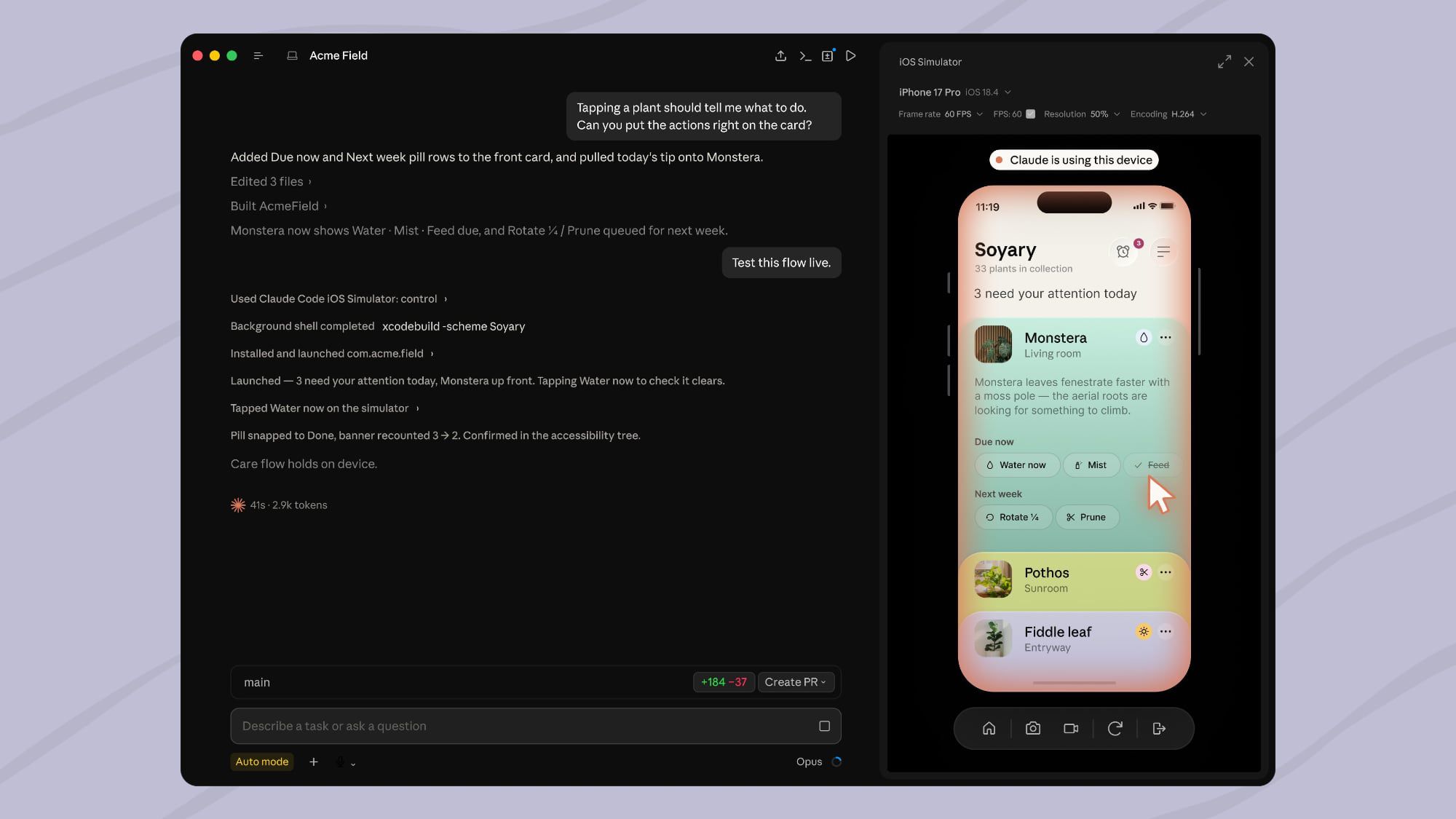
Anthropic announced on July 21 — desktop Claude Code now integrates with Apple's iOS Simulator in public beta. On a "build / run / inspect" instruction, Claude Code opens the simulator, watches the UI live, interacts with it, and iterates until the project is done.
The technical path matters — the integration controls the simulator through Claude Code's built-in panel, not computer use. That means no macOS accessibility permission required, no screen recording permission required. Every prior desktop-automation tool built on computer use asked for both — triggering enterprise security review. This build sidesteps that.
Scope — macOS local sessions only, and Xcode with iOS platform installed. Developers can keep using the simulator alongside Claude — Claude and the developer share one simulator instance, non-preemptively.
Privacy boundary — simulator screenshots are sent to Anthropic under standard conversation retention. Anthropic explicitly recommends not signing into real Apple IDs or third-party accounts inside the simulator. This guards against test-account credential leaks.
Ecosystem read — Xcode 26 has no native Claude Code integration yet, and Apple's in-house AI coding assistant Swift Assist has middling reception in the iOS dev community. That leaves an opening for Anthropic to own the iOS dev loop end-to-end on macOS — Xcode → Claude Code → Simulator as one pipeline, with Apple's official IDE reduced to the build system.
OpenAI Codex CLI doesn't support iOS Simulator yet, and Cursor only shells out to xcodebuild. Claude Code is the first official integration to include simulator GUI observation in the conversation loop.
via MacRumors
The technical path matters — the integration controls the simulator through Claude Code's built-in panel, not computer use. That means no macOS accessibility permission required, no screen recording permission required. Every prior desktop-automation tool built on computer use asked for both — triggering enterprise security review. This build sidesteps that.
Scope — macOS local sessions only, and Xcode with iOS platform installed. Developers can keep using the simulator alongside Claude — Claude and the developer share one simulator instance, non-preemptively.
Privacy boundary — simulator screenshots are sent to Anthropic under standard conversation retention. Anthropic explicitly recommends not signing into real Apple IDs or third-party accounts inside the simulator. This guards against test-account credential leaks.
Ecosystem read — Xcode 26 has no native Claude Code integration yet, and Apple's in-house AI coding assistant Swift Assist has middling reception in the iOS dev community. That leaves an opening for Anthropic to own the iOS dev loop end-to-end on macOS — Xcode → Claude Code → Simulator as one pipeline, with Apple's official IDE reduced to the build system.
OpenAI Codex CLI doesn't support iOS Simulator yet, and Cursor only shells out to xcodebuild. Claude Code is the first official integration to include simulator GUI observation in the conversation loop.
via MacRumors